AI GIF Generator
Type what you want to see, or drop in a photo, and this AI GIF generator turns it into a short looping animation. Use it as a quick AI GIF maker for reactions, memes, stickers and product shots.
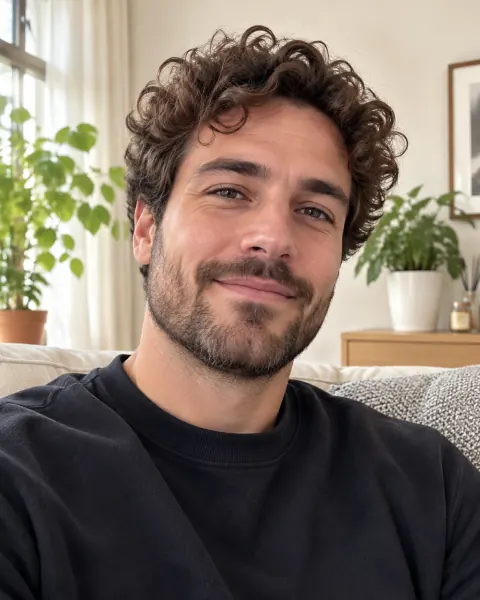 Before
 GIF
Anime style: a pink-haired young woman waves hello as cherry blossom petals drift by.
- No design skills needed
- Text or photo to GIF
- Free text GIFs every day
AI GIF Generator Examples
Every GIF below was made with this AI GIF generator. The photo examples show the original next to the animation; the rest started from a single sentence, shown under each one.
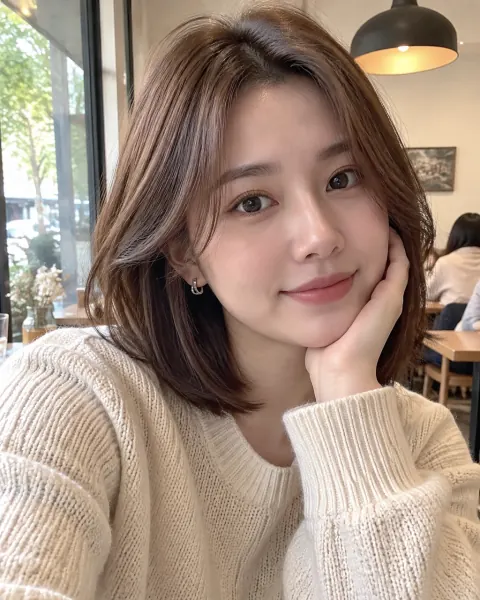 Before
 After
From a selfie to a wink and finger heart
A short custom instruction on a casual selfie. The loop plays the wink and the finger heart, then returns to the starting pose.
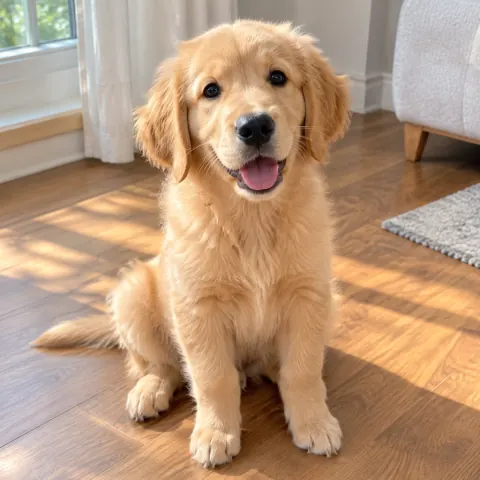 Before
 After
From a pet photo to a curious head tilt
Pro motion on a golden retriever photo: about six seconds of natural movement, made with a video model and saved as a GIF.
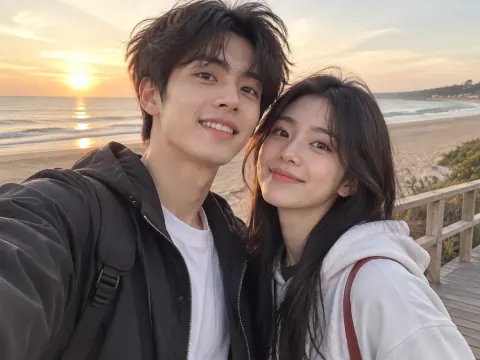 Before
 After
From a couple selfie to a wave hello
Pro motion on a beach selfie with two people. Both wave and smile at the camera, with smoother movement than a Basic loop.
 GIF
 GIF
 GIFGIF
 GIF
 GIF
 GIF
 GIF
What People Make with an AI GIF Maker
A GIF says something a still picture cannot: a reaction, a mood, a tiny story that loops. Here is what this tool is good at.
Reaction GIFs for group chats
Upload a photo of yourself or a friend (with their okay) and pick Laugh, Wink or Surprised. You get a personal reaction GIF that no GIF library has, ready to drop into WhatsApp, Telegram, Discord or Slack.
Pet moments
Pets are perfect GIF material. Start from a clear photo of your dog or cat and ask for a head tilt, a slow blink or a wagging tail. Pro motion looks especially natural on fur and ears.
Stickers and characters
Describe a character, such as a sneezing dragon or a proud penguin, and pick Chibi, Cartoon or Claymation. Short loops in these styles work well as chat stickers and channel emotes.
Scenes for posts and pages
Fireworks for a celebration post, rain on a neon street for a moody story, waves at sunset for a travel page. A text prompt and the Default style give you a small looping scene in about a minute.
How to Make a GIF with AI
- 1
Describe it, or upload a photo
In Text to GIF, write one or two sentences about what moves: who or what is in the scene and what happens. In Photo to GIF, upload a JPG, PNG, WebP or HEIC photo and tap an action like Wave, or write your own. Stuck? Inspire me fills in an idea.
- 2
Pick a style and the motion
Choose one of six styles: Default, Anime, Pixel, Chibi, Cartoon or Claymation. Then choose Basic for a quick loop of about nine frames, or Pro for roughly six seconds of smooth motion made with a video model.
- 3
Generate and download the GIF
A Basic photo GIF is usually ready in under half a minute; text and Pro GIFs take about a minute. Download the GIF, regenerate for a different take, or find it later in My Creations.
Why Use This AI GIF Generator
Free text GIFs every day
Text GIFs use your daily free generations, with no sign-up needed. Photo GIFs need a free account and credits; Pro motion uses paid credits.
Two kinds of motion
Basic draws a short frame-by-frame loop that is quick and cheap. Pro animates your photo or idea with a video model for smoother, longer movement.
Prompts you can reuse
Every example on this page shows the prompt behind it. Tap Use this prompt to load it, then change a word or two and make your own version.
Clean files, no watermark
You download a standard looping GIF with no logo on it. It plays in chat apps, on social media and on most websites without any extra conversion.
Turn a Photo into a GIF with AI
Whether you search for an AI GIF maker, an AI GIF creator, a text to GIF tool or image to GIF AI, it is the same idea: you describe the motion and the AI draws the frames for you. This is different from a classic GIF converter that stitches photos you already have into a slideshow. Here one photo is enough, and the result is new movement, like a laugh, a wave or a wagging tail. If you want a new still picture rather than an animation, use our image to image AI instead.
Frequently asked questions
Anything else? Contact us.
Is this AI GIF generator free?
Text GIFs are free to start. You get 1 free generation a day, with or without an account, and each Basic text GIF uses one. The count resets at 00:00 UTC. After that, a Basic text GIF costs 1 credit, a Basic photo GIF 2 credits and a Pro GIF 4 credits.
Can I turn a photo into a GIF with AI?
Yes, that is what the Photo to GIF mode is for: image to GIF AI that adds new motion to a single picture. Sign in and upload a clear JPG, PNG, WebP or HEIC photo of a person or a pet, up to 20 MB. Pick an action such as Laugh, Wave, Wink or Surprised, or describe your own. The AI is told to keep the same face, hair, clothes and background, and the GIF follows the orientation of your photo: square, portrait or landscape.
How long is the GIF, and how many frames does it have?
A Basic GIF is a short loop of about nine frames, lasting around one and a half to two seconds. A Pro GIF is made from a video clip of about five to six seconds and usually plays at 10 frames per second, so the motion looks much smoother.
What size and format do I download?
Always an animated GIF that loops forever. Basic GIFs are around 400 to 640 pixels on the long side; Pro GIFs are usually 360 pixels wide, or 480 for landscape photos. If a Pro GIF would be larger than about 6 MB, it is automatically made a little smaller or slower so it still uploads easily to chat apps.
Can I use the GIFs on Discord, Slack or social media?
Yes. It is a normal GIF file, so you can post it in Discord, Slack, Telegram, WhatsApp, X or a forum, or add it to an email or a web page. You can use your GIFs commercially as long as you have the rights to the photo you uploaded.
Why does my GIF look different from my prompt?
Short, concrete prompts work best. Name the subject, the one action that happens and the setting, for example "a red fox jumps over a snowy log". Ask for one movement rather than several, and let the style handle the look. If the motion is too small, try Pro or regenerate for another take.
Can I make any GIF I want?
Most everyday ideas are fine. We block NSFW content, images of minors, real-person face swaps, deceptive deepfakes and graphic violence. Only animate photos of people who agreed to it. Blocked attempts do not use your free generations or credits.
Do you add a watermark, and how long are my GIFs kept?
No watermark. GIFs made without an account are deleted after 2 days; with an account they stay in My Creations for 30 days, so download the ones you want to keep.
Make your first AI GIF
One sentence or one photo is all it takes. Try a style, see it move, and download the loop.