AI Hair Color Changer
Thinking about going blonde, copper or pink? Upload a clear photo and this AI hair color changer shows you in four shades side by side, keeping your haircut and face exactly as they are.
JPG, PNG, WebP, HEIC · up to 20 MB
No NSFW, face swaps or harmful content. Content Policy
- Only the color changes
- 4 shades per photo
- No sign-up
 BeforeAfter
No NSFW, face swaps or harmful content. Content Policy
AI Hair Color Changer Examples
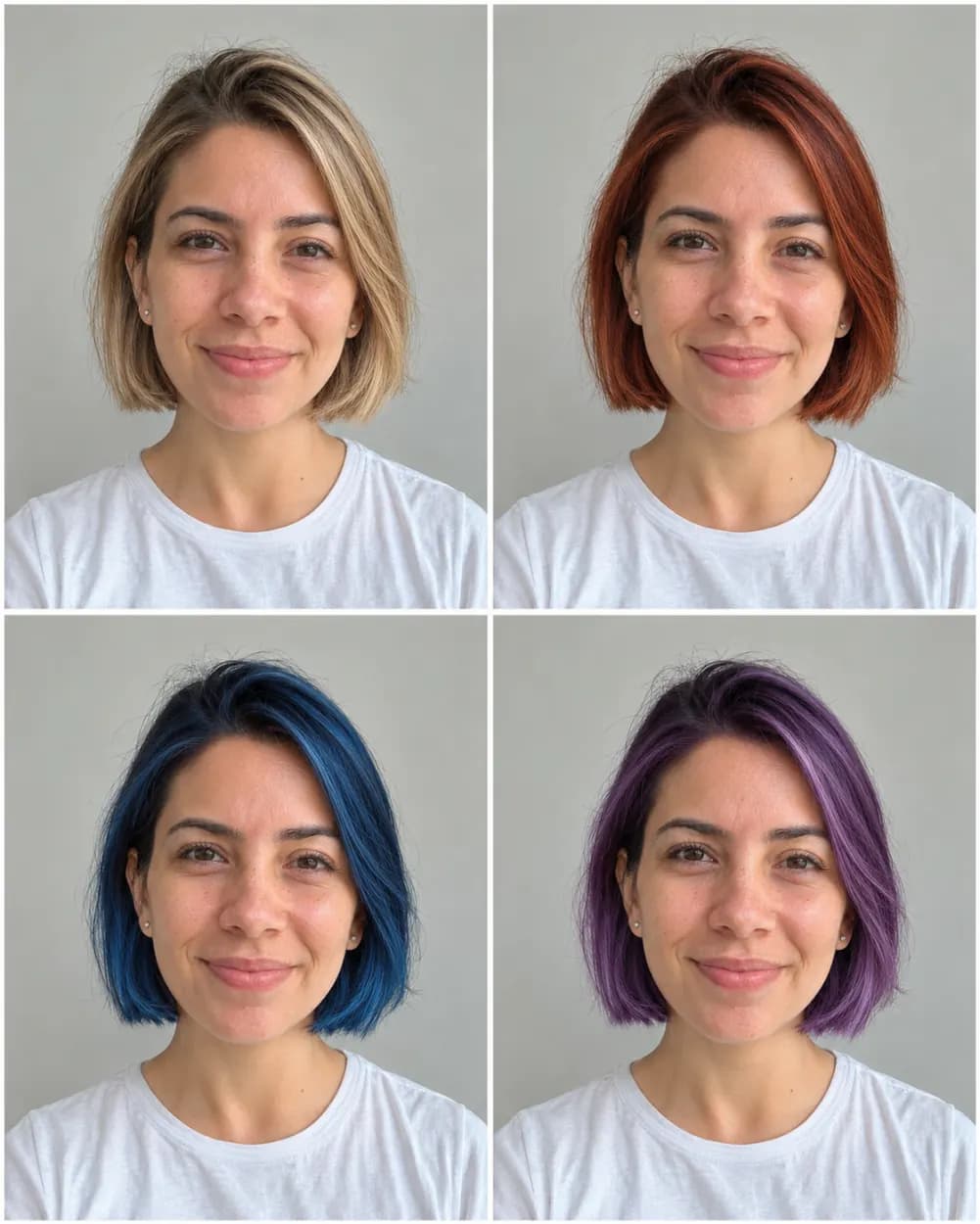
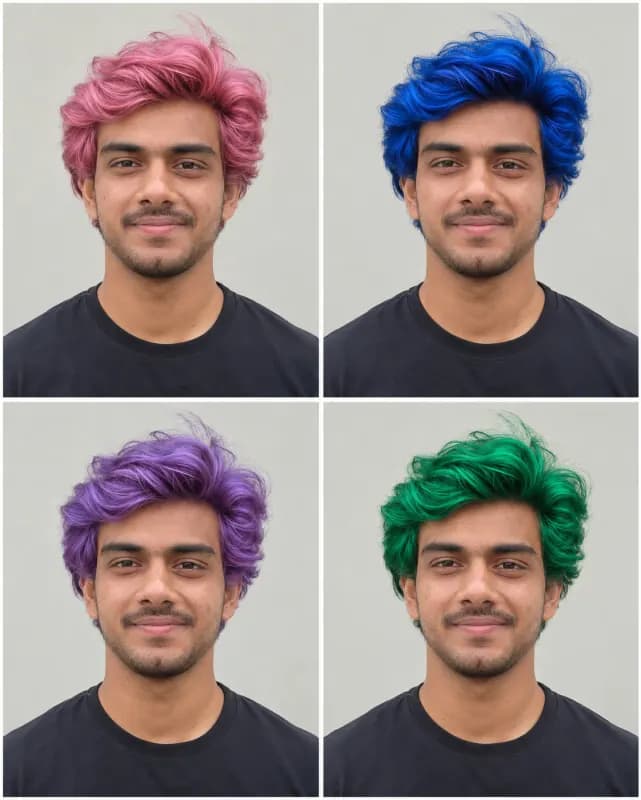
Every grid here is one uploaded photo run through one of the options above, untouched afterwards. Look at the hairline and the parting: the cut stays where it was, and only the shade moves. Light, medium and deep skin tones, straight and curly hair, men and women are all included.
 BeforeAfter
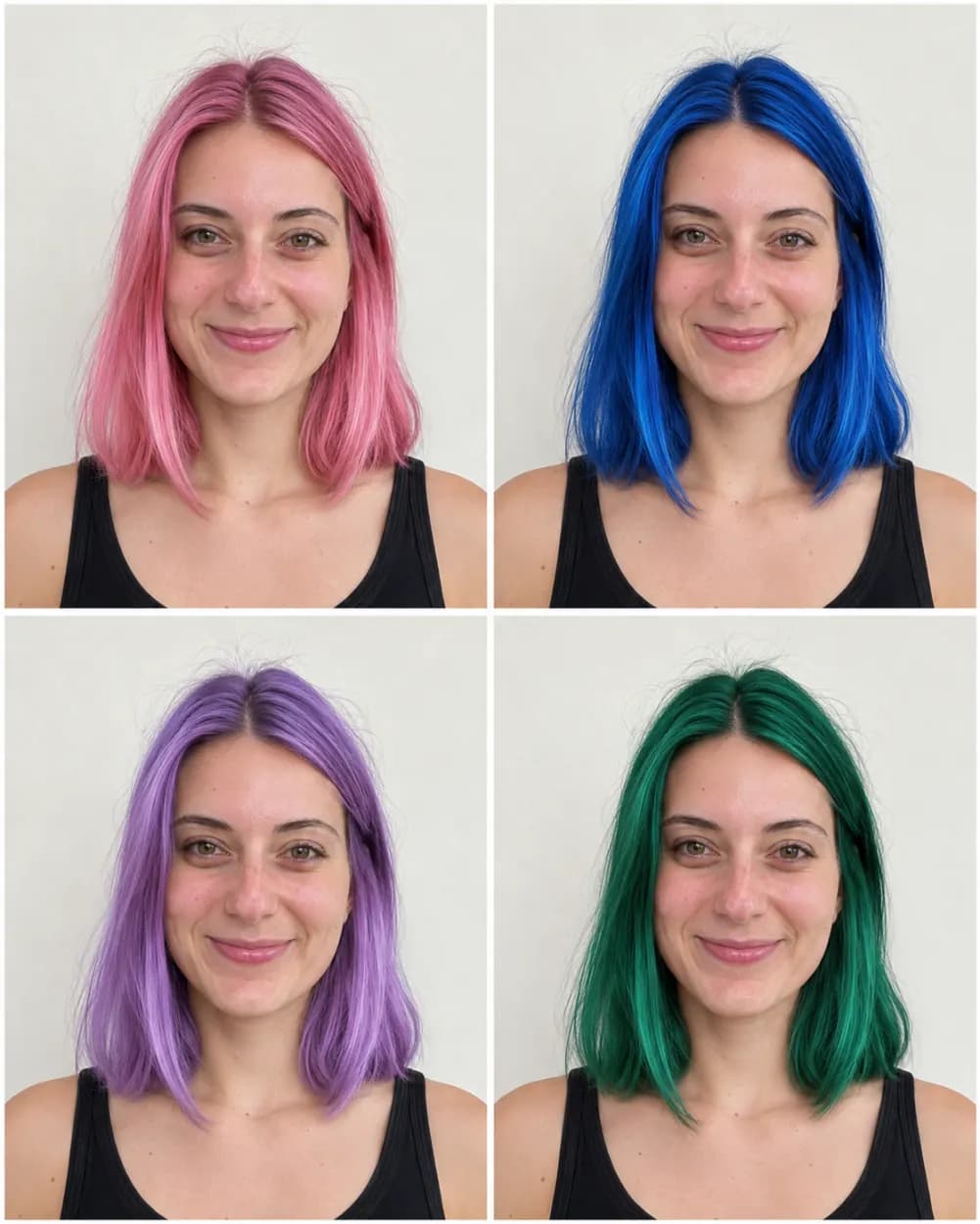
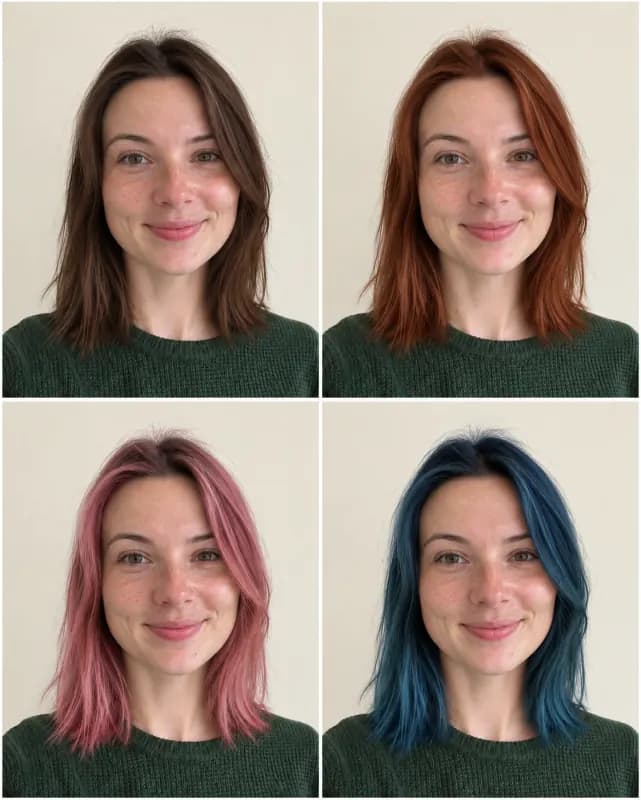
From light brown to four bold fashion colors
Made with Bold colors. Pink, blue, lavender and green on the same shoulder-length cut, so you can see which one works with your skin before you bleach anything.
 BeforeAfter
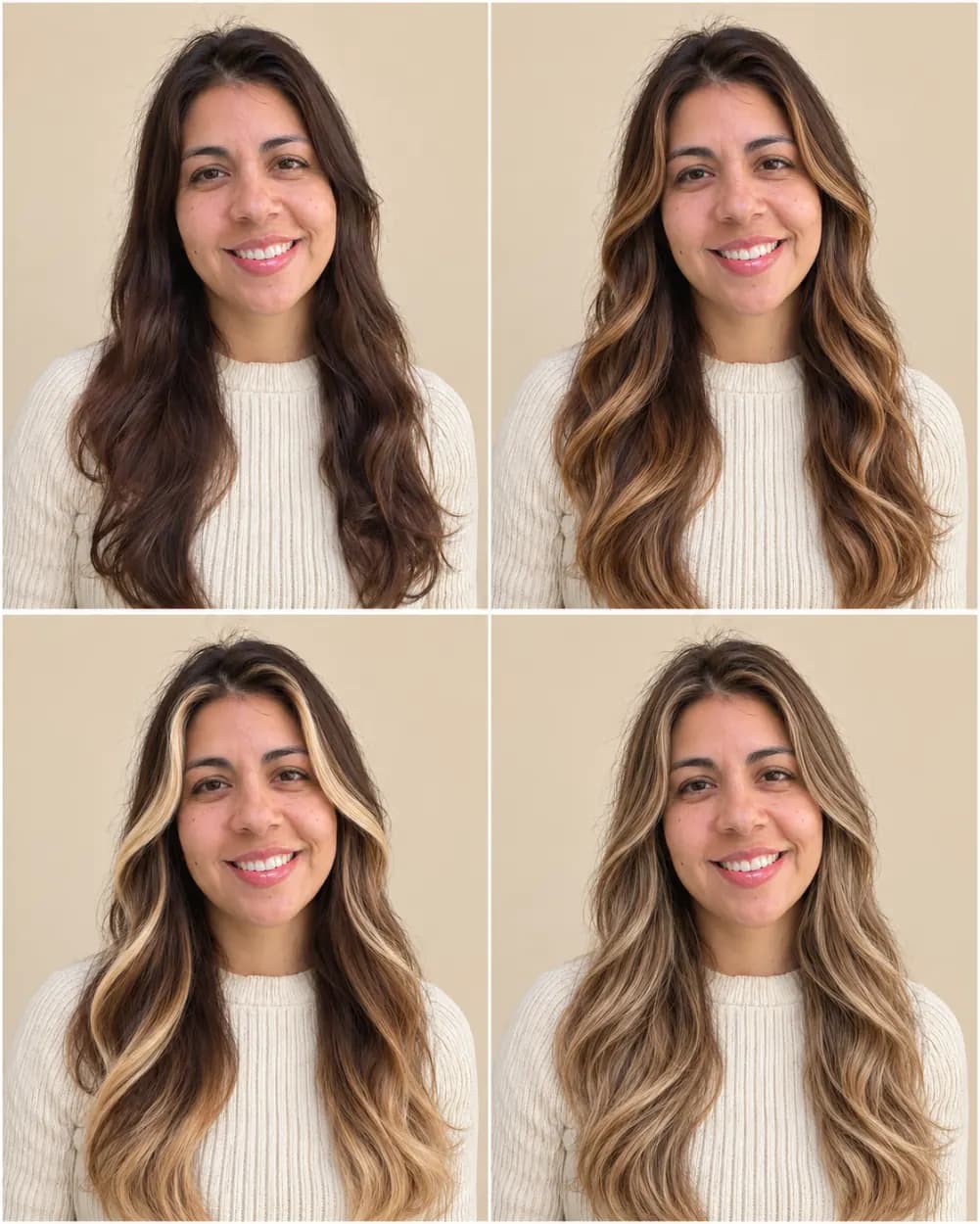
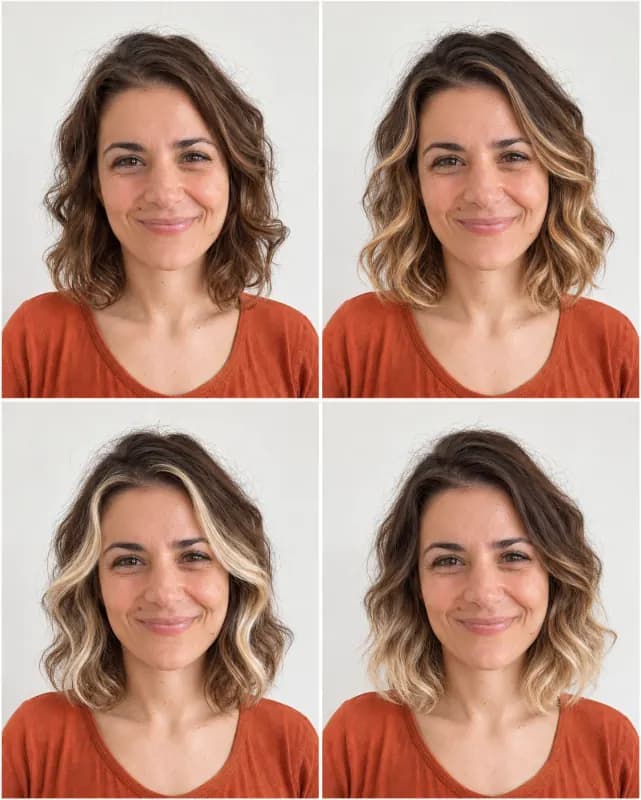
From one solid color to four kinds of highlights
Made with Highlights. From a barely-there chestnut gloss to caramel balayage, a bright face-framing ombré and honey babylights, her dark base stays at the roots in every panel.
 Before
 After
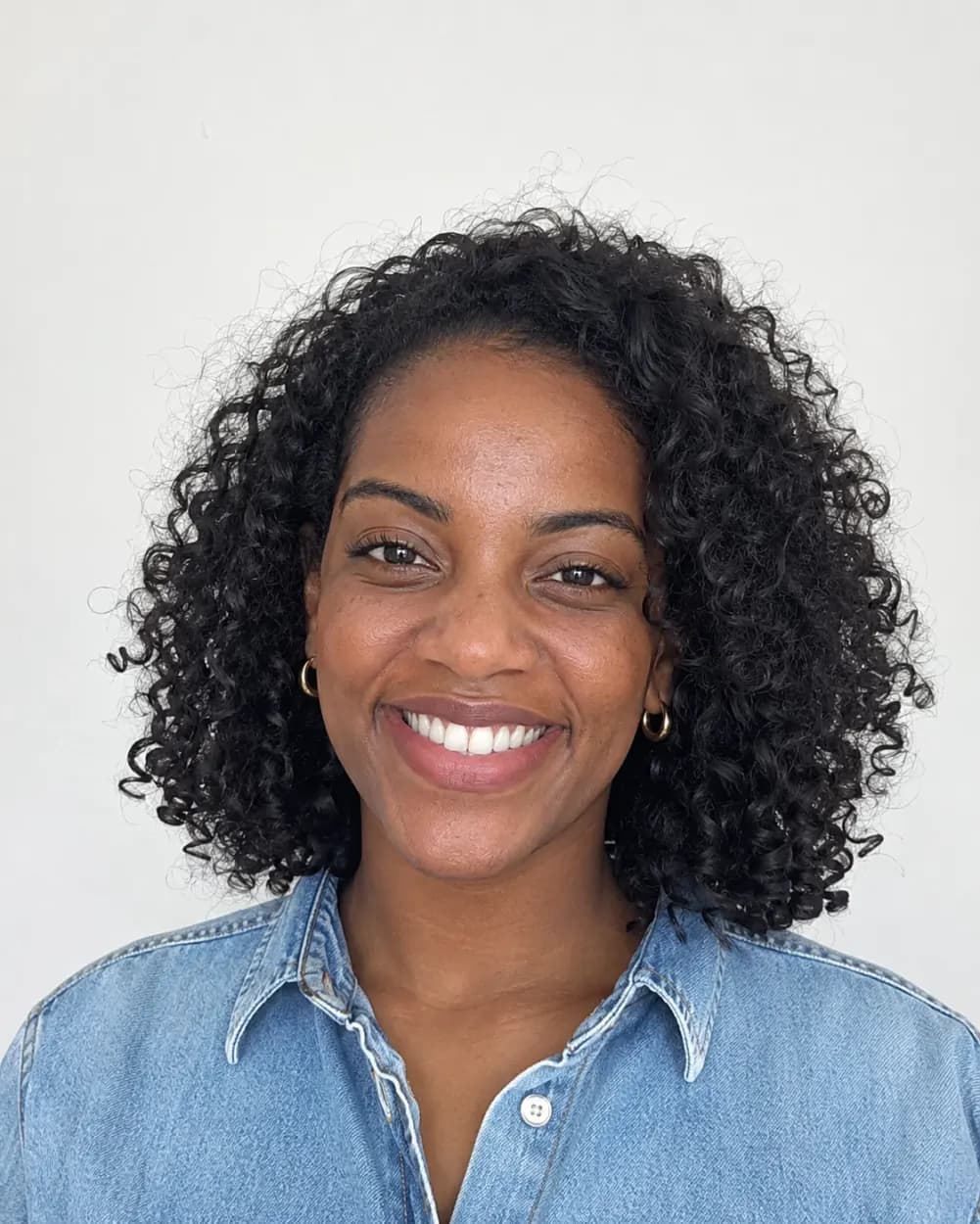
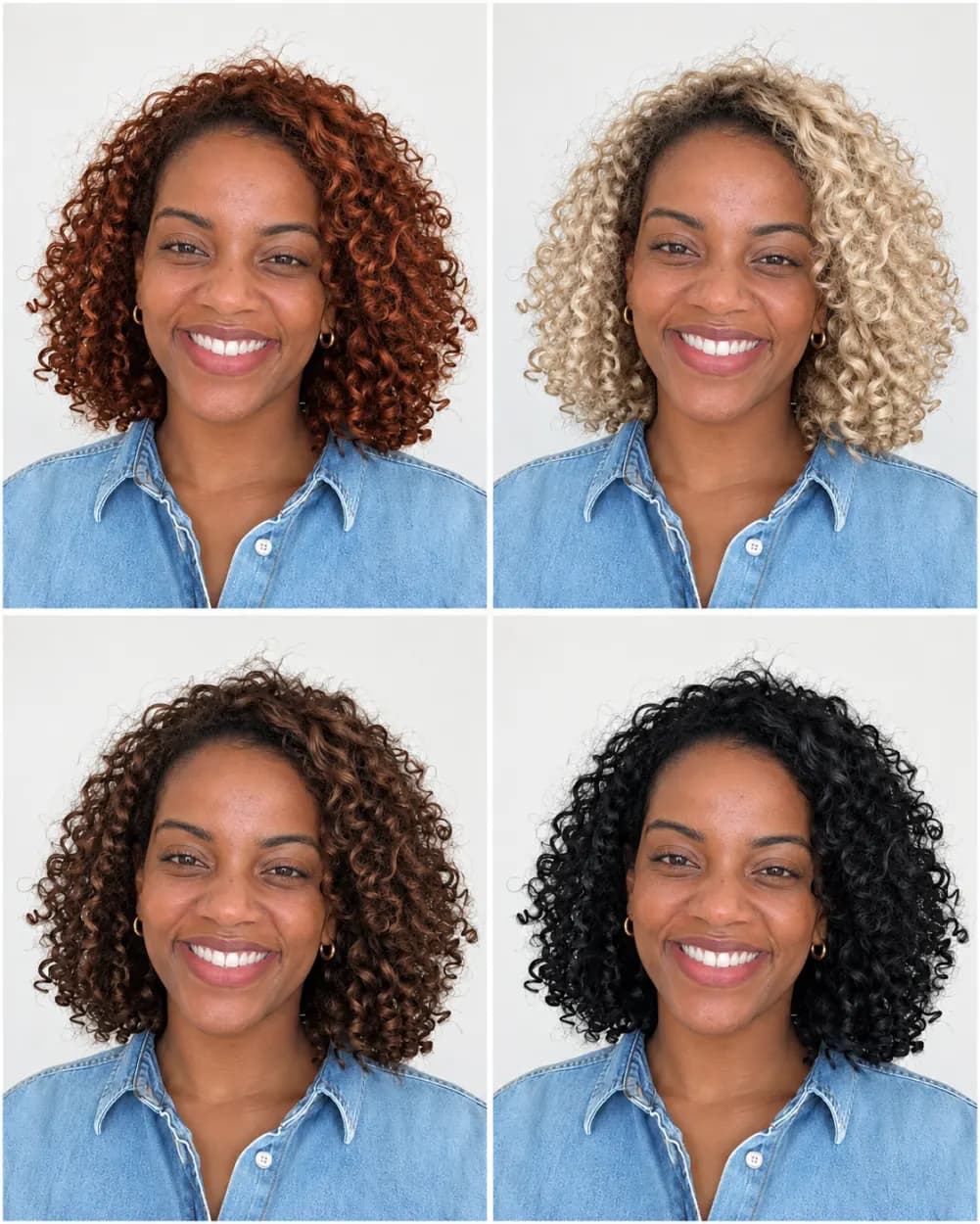
From black curls to four natural shades
Made with Natural shades. The curl pattern and volume stay the same while the color moves through copper, platinum blonde, chocolate and jet black.
 Before
 After
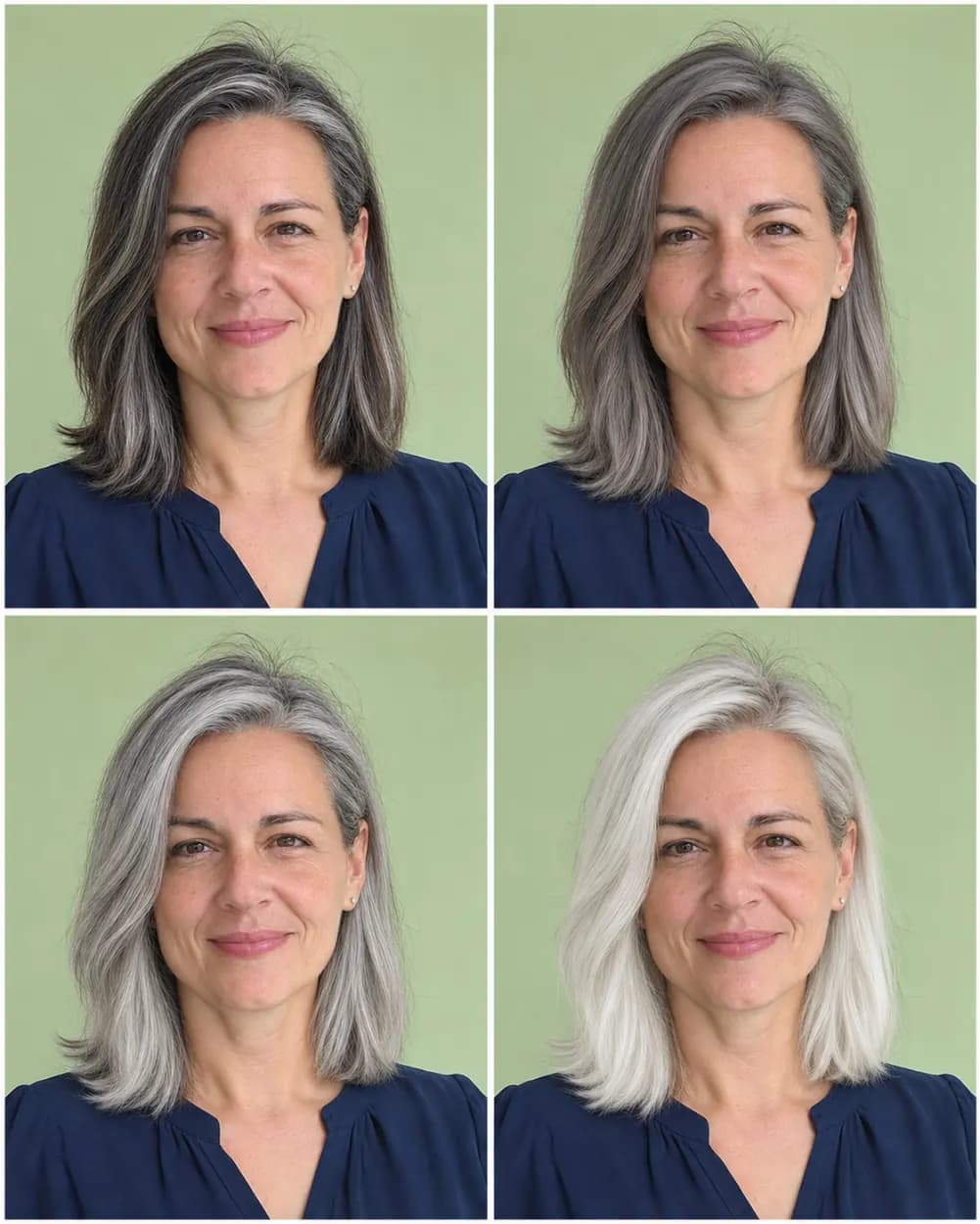
From dark brown to four gray and silver tones
Made with Gray & silver. Useful if you are thinking of blending in grays or going silver on purpose, without adding years to the face.
 Before
 After
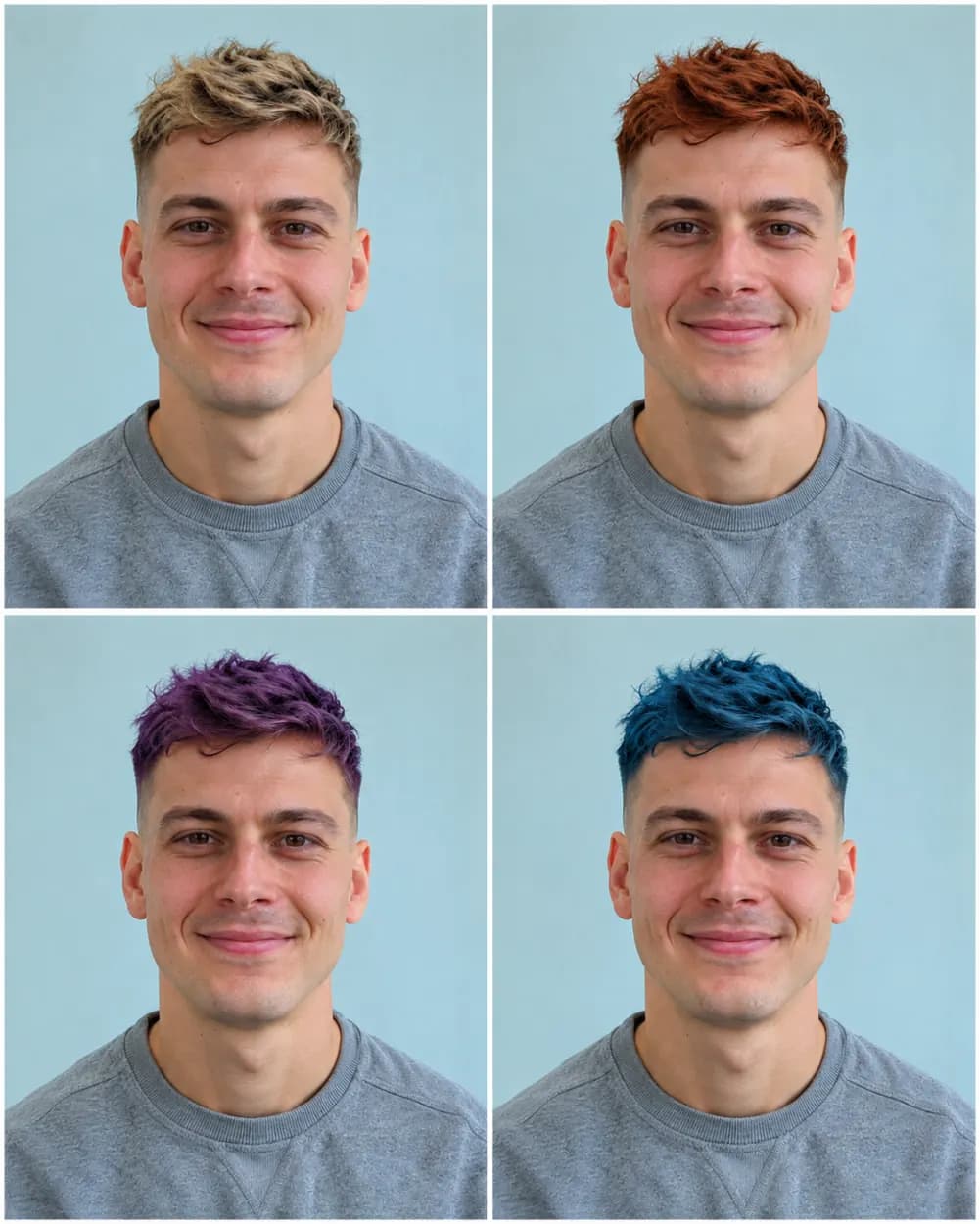
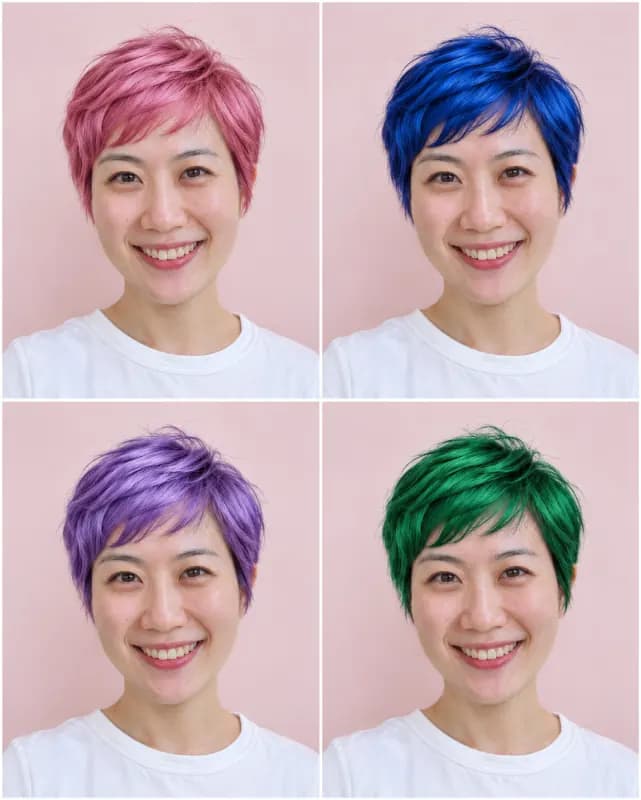
From brown to four colors on a short cut
Made with Surprise me. Short hair works too: the fade and the length on top stay exactly the same in every panel.
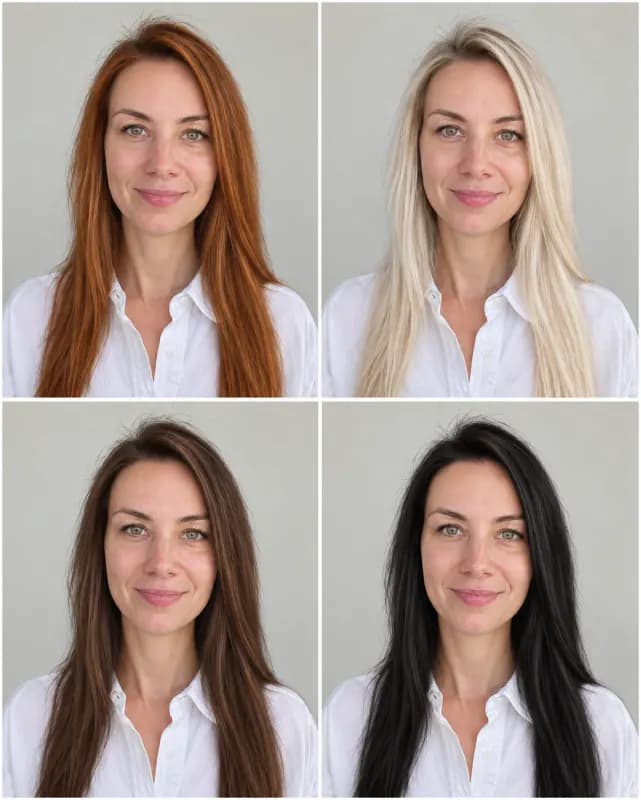 4 colors
 4 colors
 4 colors
 4 colors
 4 colors
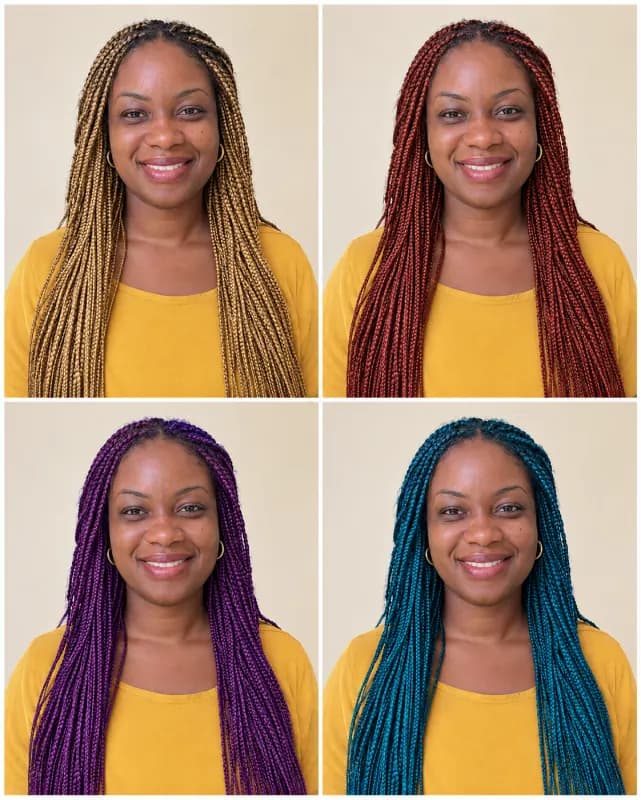 4 colors
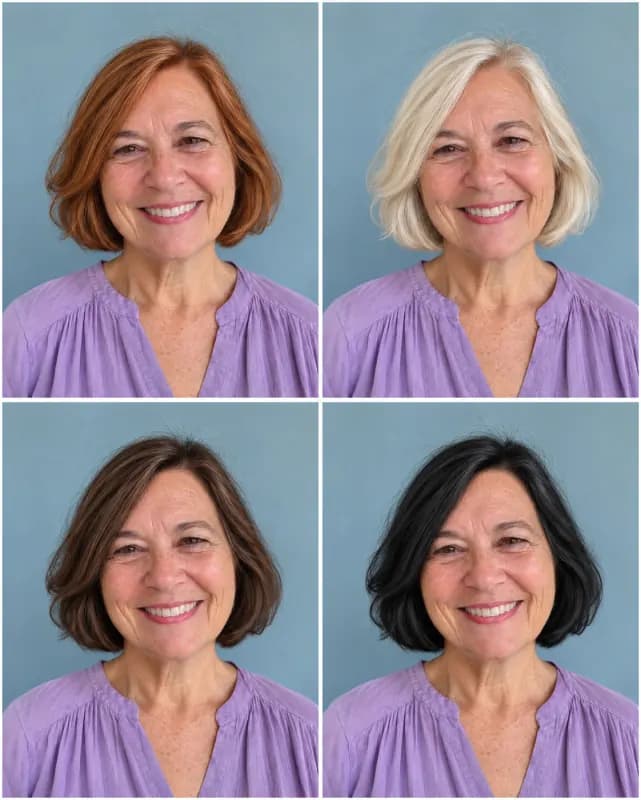 4 colors
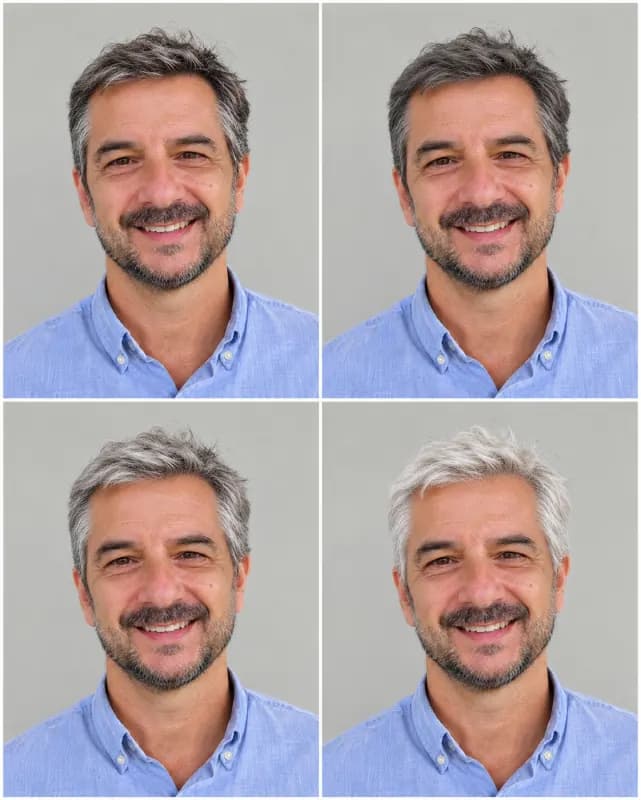 4 colors
Which Hair Color Suits Your Skin Tone?
Colorists start with undertone, the faint warm, cool or neutral cast under your skin. Look at the veins on your wrist in daylight: green-ish usually means warm, blue or purple means cool, and a mix means neutral. Use the notes below as a starting point, then let your own four-panel result settle it.
Warm undertones
Golden, peachy or olive skin usually glows next to copper, honey blonde, caramel, golden brown and warm auburn. Very ashy or blue-based shades can look flat. Try Natural shades first, then Highlights for caramel balayage.
Cool undertones
Pink or rosy skin tends to suit ash blonde, platinum, cool brown, blue-black and burgundy. Brassy orange tones can bring out redness. Gray & silver and the cooler Bold colors such as lavender and blue are worth a look.
Neutral undertones
If you are neutral, most families work, from beige blonde to mushroom brown to soft rose gold. Surprise me is a good first run because it mixes natural and bold shades in one grid.
Deep and dark skin tones
Rich espresso, mahogany, burgundy, copper and honey highlights stand out beautifully on deep skin, and bright fashion colors can look striking. Uploading a photo in daylight keeps your real skin tone in every panel, so the comparison is fair.
How to Change Your Hair Color with AI
- 1
Upload a photo in natural light
Color is the point here, so light matters more than usual. Pick a sharp, front-facing photo taken in daylight or even indoor light, with your hair visible and not under a hat. Warm lamps and beauty filters shift every shade.
- 2
Choose a color family
Surprise me mixes natural and bold shades. Natural shades, Bold colors, Highlights and Gray & silver keep all four panels in one family. To ask the AI to change hair color to exact shades, edit the instructions, for example "four shades of red from strawberry blonde to burgundy".
- 3
Compare four colors at once
The ai hair color change comes back as one 2x2 grid, with the same cut and face in every panel. Drag the slider against your original, download the grid, or try another family on the same photo.
Why try your hair color here first
Only the color changes
Many try-on apps lay a flat color mask over your head or switch you to a model with different hair. Here the instructions keep your haircut, length, texture, face and outfit in every panel, so you are judging a shade, not a new look.
Four shades side by side
Picking between copper and auburn is easier when both sit next to each other on your own face. Send the grid to a friend for a vote, or take it to your colorist so you can point at the panel instead of describing a shade.
Bold colors without the bleach
Pink, blue or silver usually mean lightening first, and fading back is slow. A few seconds of preview here is the cheapest way to find out whether a fashion color is you before a long salon appointment.
Free to start, no watermark
You get 1 free generation a day without an account, and downloads have no logo across your hair. Logging in keeps your grids in My Creations; credits are there if you want to test many shades.
Hair color changer, hair color try on, hair color simulator
Some people call it a hair color changer, others a free ai hair color changer, a virtual hair color try on, a hair color simulator or simply a way to change hair color online. On this page they are all the same hair color changer ai: one photo in, four shades out, your own face in every panel. For edits that go beyond hair, try our general image to image AI.
Frequently asked questions
Anything else? Contact us.
Is this AI hair color changer free?
Yes. Everyone gets 1 free generation a day, signed in or not, reset at 00:00 UTC. One generation already shows four hair colors, so a single free try covers four shades. Credits are available if you want more.
Can AI change my hair color without changing my haircut or face?
That is exactly what the instructions ask for: the same haircut, length, texture, face, skin tone and clothing in all four panels, with only the color changed. It is AI generated, so small details such as a strand or the hairline can still shift; a sharp photo in even light keeps the result closest to you.
Can I try highlights, balayage or two-tone hair?
Yes. The Highlights option keeps your current color as the base and shows balayage, face-framing highlights, ombré and babylights. For a specific look, such as "blonde money piece on dark brown hair", edit the instructions and name it.
Which hair color suits my skin tone?
As a rule of thumb, warm undertones suit copper, honey and caramel, cool undertones suit ash, platinum and burgundy, and neutral undertones can wear most shades. The quickest answer is your own grid: run Natural shades and Bold colors on the same photo and compare.
Does it work on black, dark or curly hair?
Yes. Dark and black hair can be shown in light shades without a real bleach session, and curls, coils and braids keep their pattern and volume. Real results on very dark hair usually need lightening first, so treat light shades as a preview of the end goal.
What kind of photo works best?
A recent photo taken in daylight, facing the camera, with your hair visible and not covered by a hat or hood. Avoid strong color filters and warm lamps, which tint every shade. JPG, PNG, WebP and HEIC up to 20 MB are accepted.
Is the preview what I will get at the salon?
Use it as a reference, not a guarantee. Real dye depends on your starting color, how porous your hair is and how much lifting it can take. Showing the panel you like to your colorist is the best way to use it.
What happens to my photo?
It is used only to make your hair color grid and is sent to our AI provider for that, which keeps it for up to 72 hours. Results made without an account are deleted after 2 days; results saved on the free plan are deleted after 30 days. Photos of minors and NSFW content are not allowed under our content policy.
See the shade before you book the color
One photo, four hair colors, your own face. Free to try, no watermark.