AI Hairstyle Changer
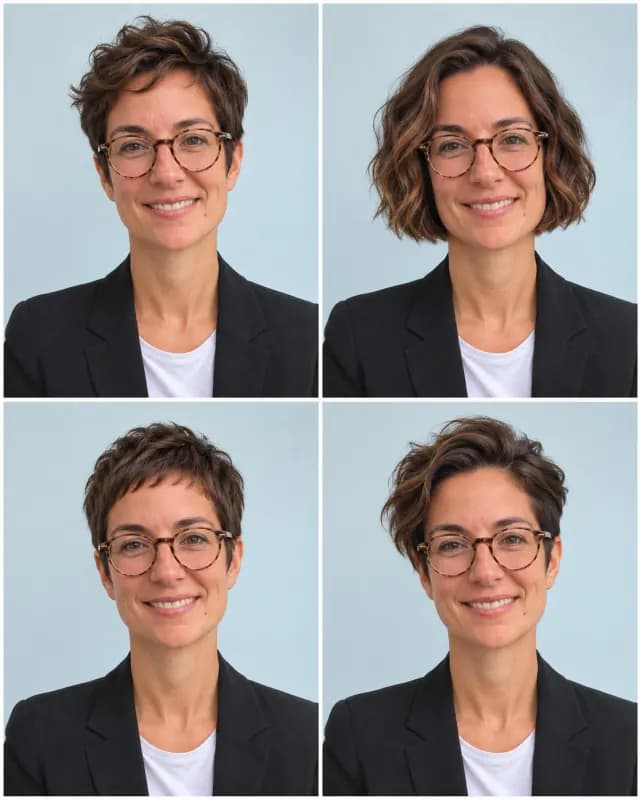
Not sure a bob or bangs would suit you? Upload a clear photo and this AI hairstyle changer shows you with four different hairstyles side by side, while your face, expression and outfit stay as they are.
JPG, PNG, WebP, HEIC · up to 20 MB
No NSFW, face swaps or harmful content. Content Policy
- Your face stays the same
- 4 hairstyles per photo
- No sign-up
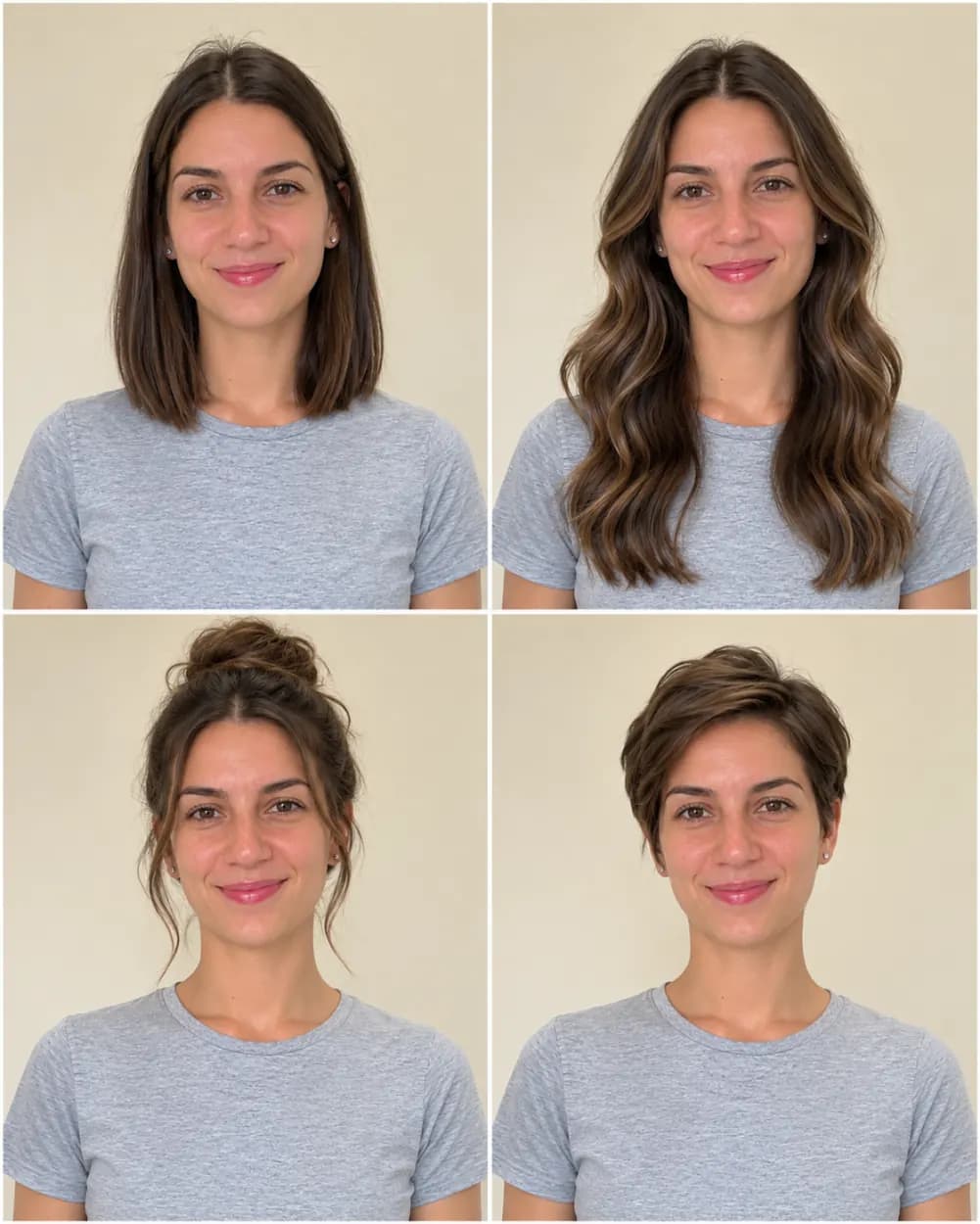
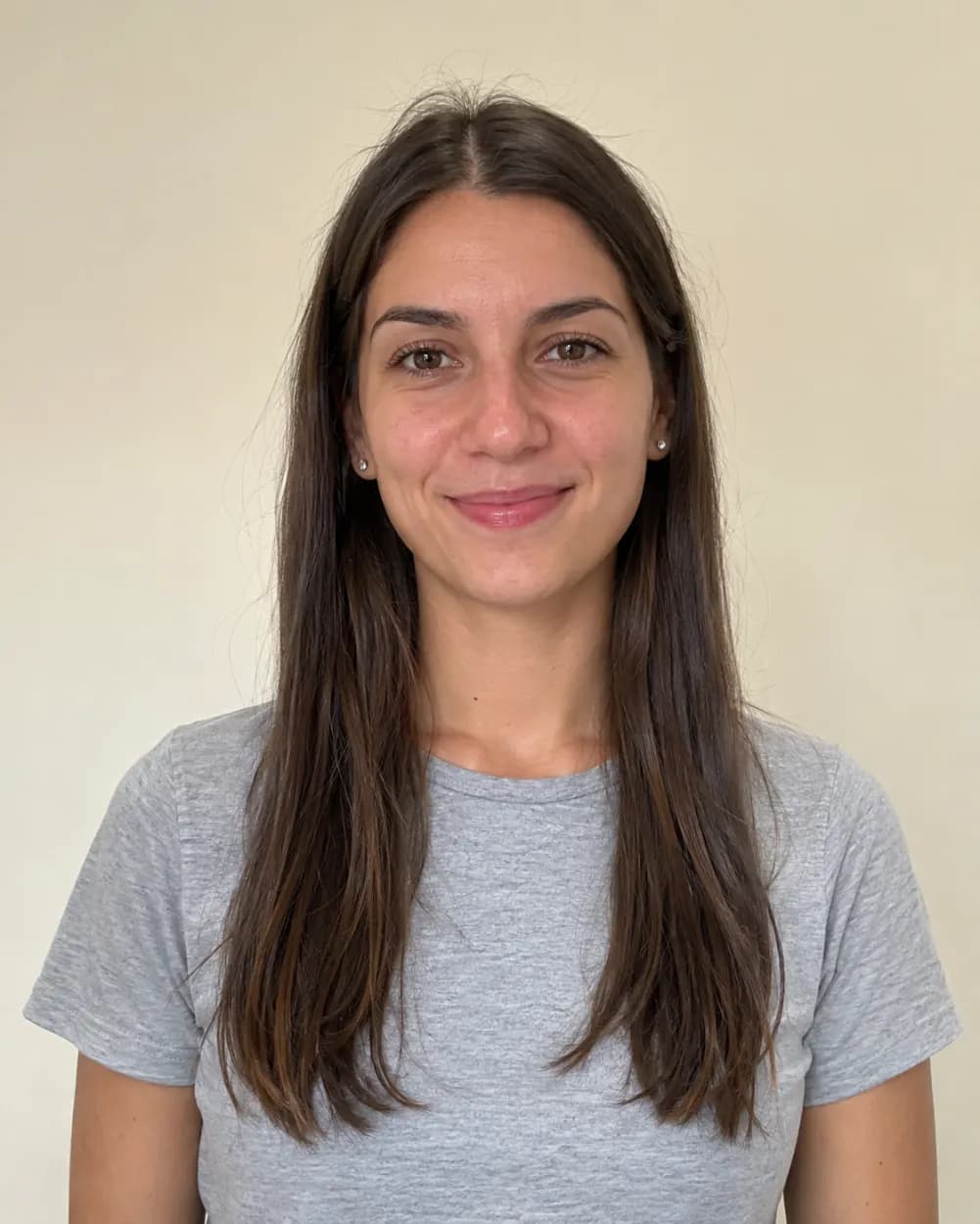 BeforeAfter
No NSFW, face swaps or harmful content. Content Policy
AI Hairstyle Changer Examples
Each grid below came from one uploaded photo and the same instructions the tool above uses, with no retouching. Men, women, straight, curly and coily hair, and ages from twenties to sixties are all here, so you can judge how it handles a head like yours.
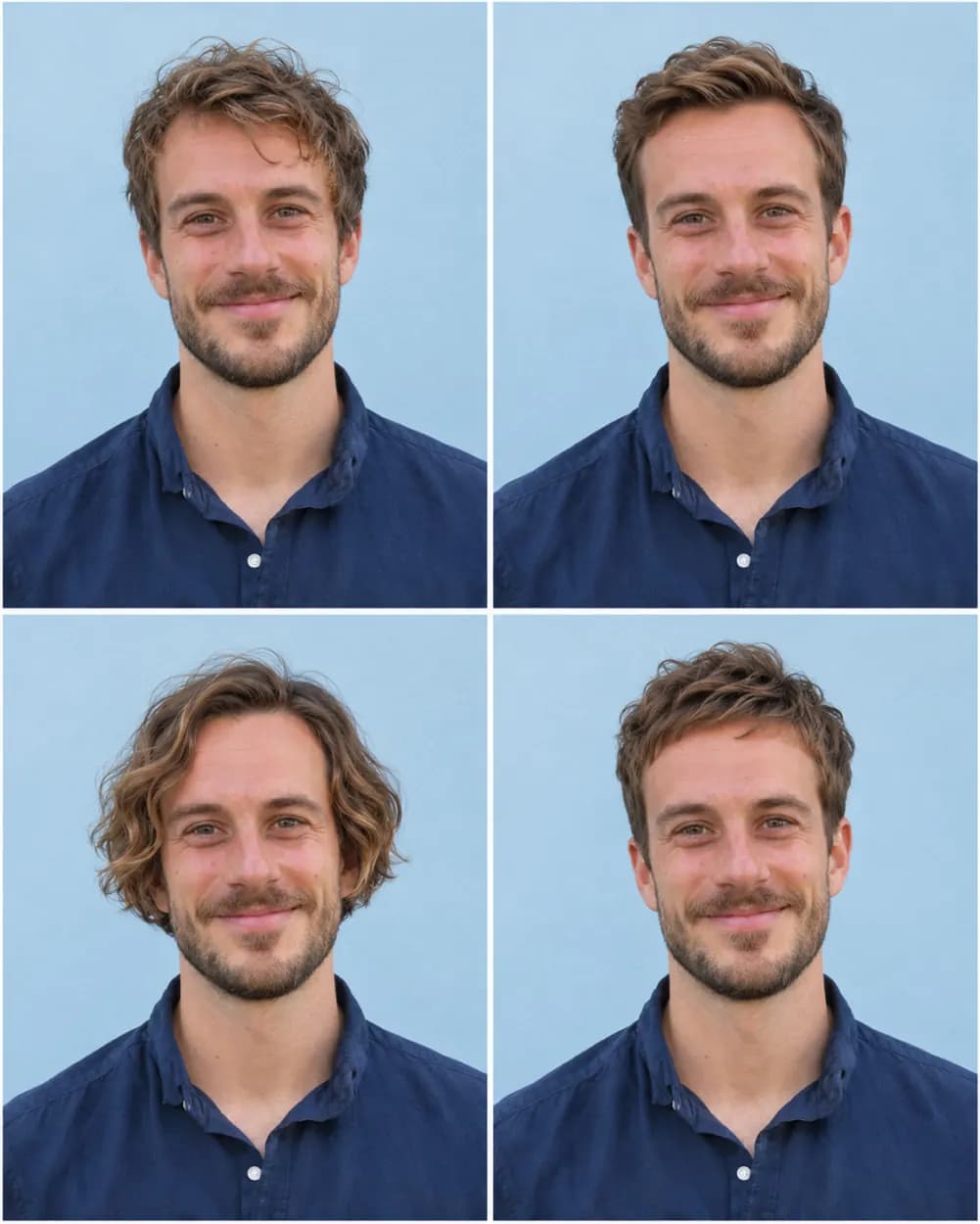
 BeforeAfter
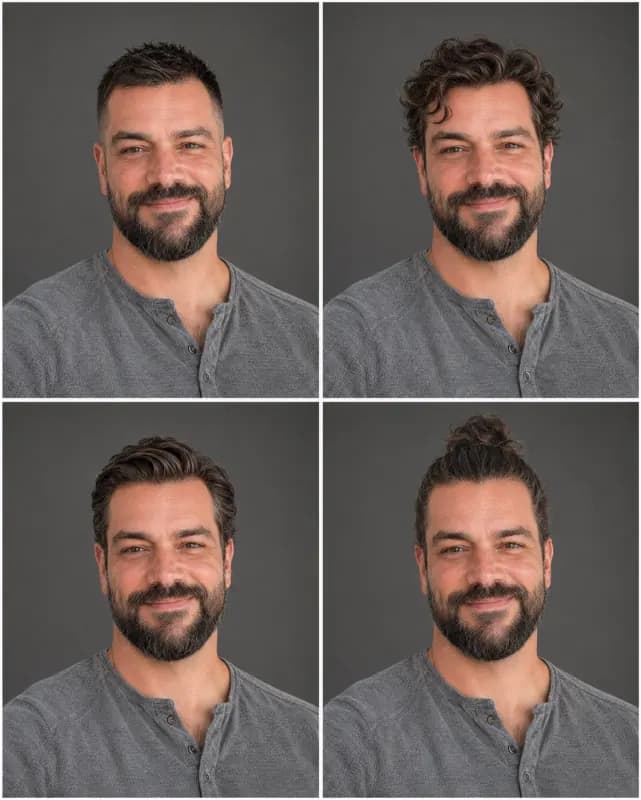
From a messy medium cut to four short haircuts
Made with Short cuts. His grown-out hair becomes a textured crop, a swept-back taper, ear-length waves and a short fringe, and the beard, shirt and smile do not move.
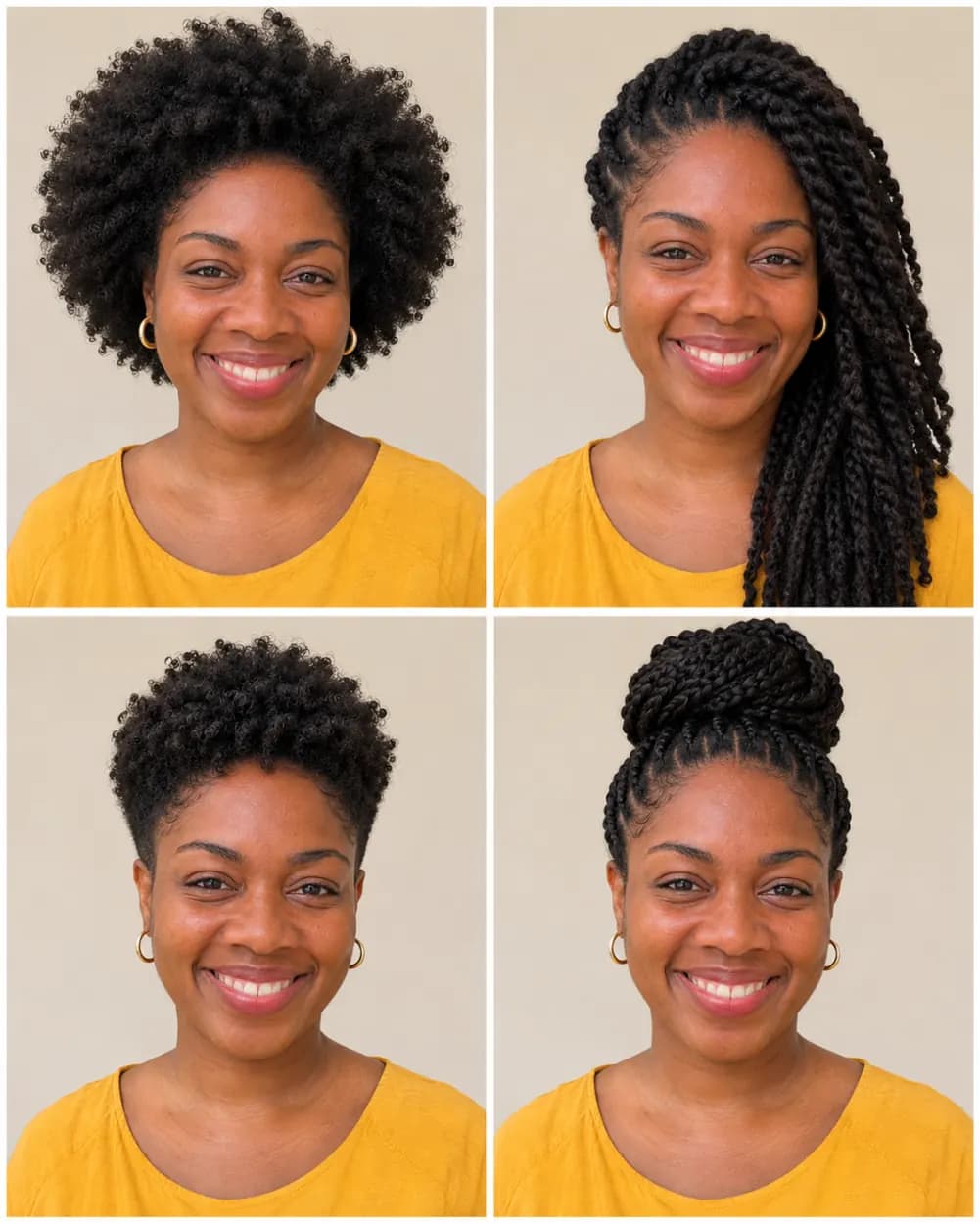
 BeforeAfter
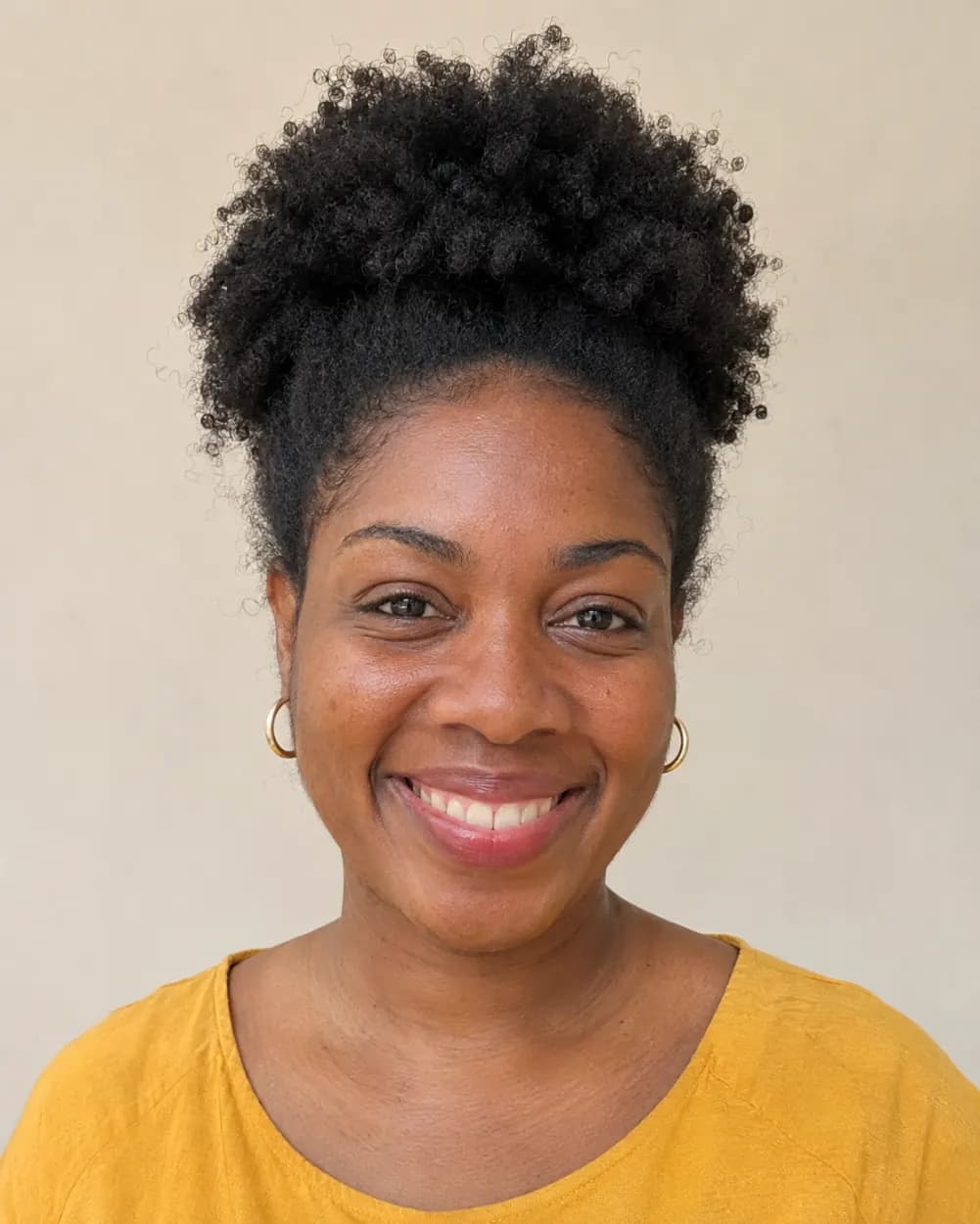
From a natural puff to four styles for coily hair
Made with Surprise me. The tool picks styles that suit her coily texture, from a rounded afro and long twists to a tapered crop and a braided bun, instead of forcing straight hair.
 Before
 After
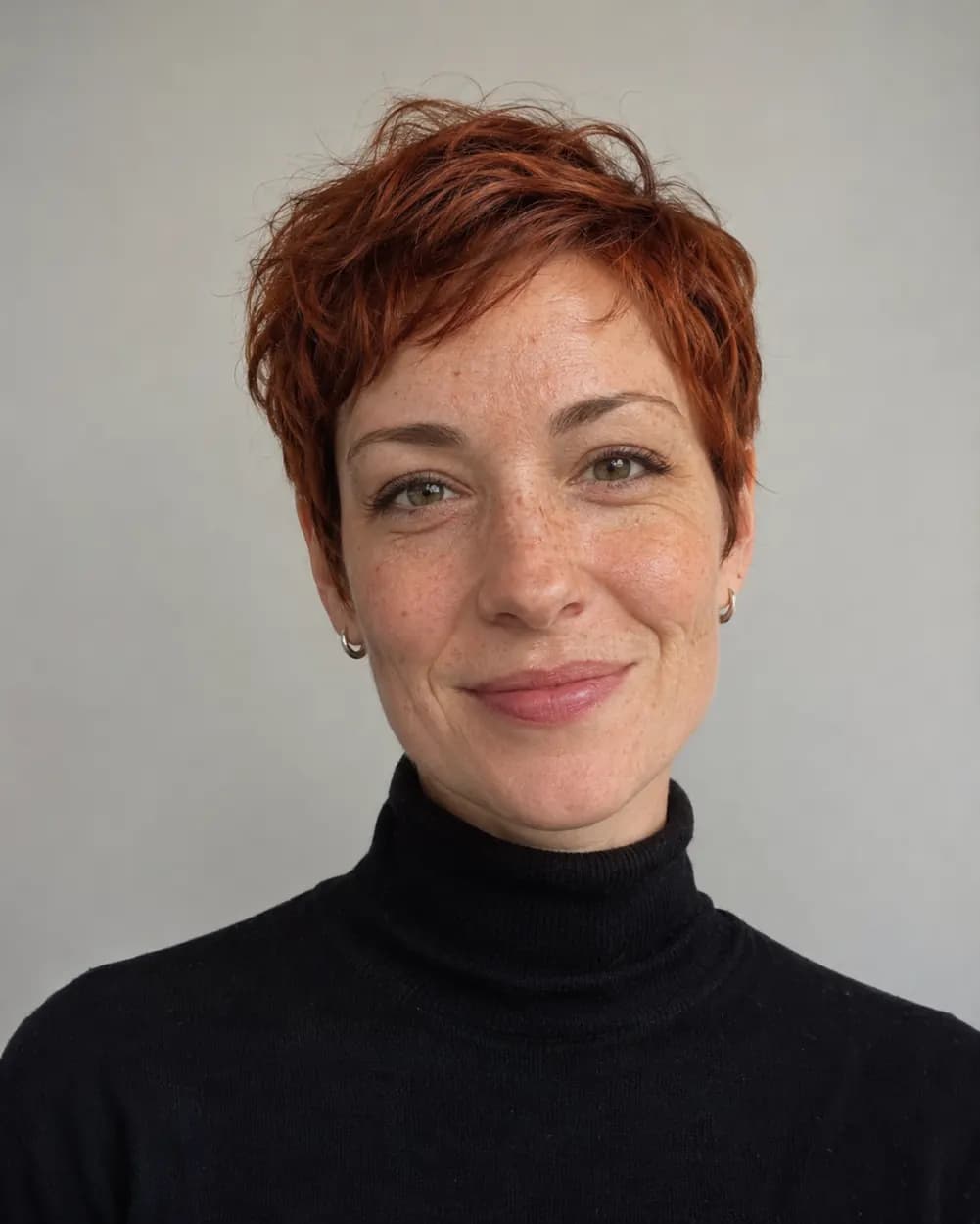
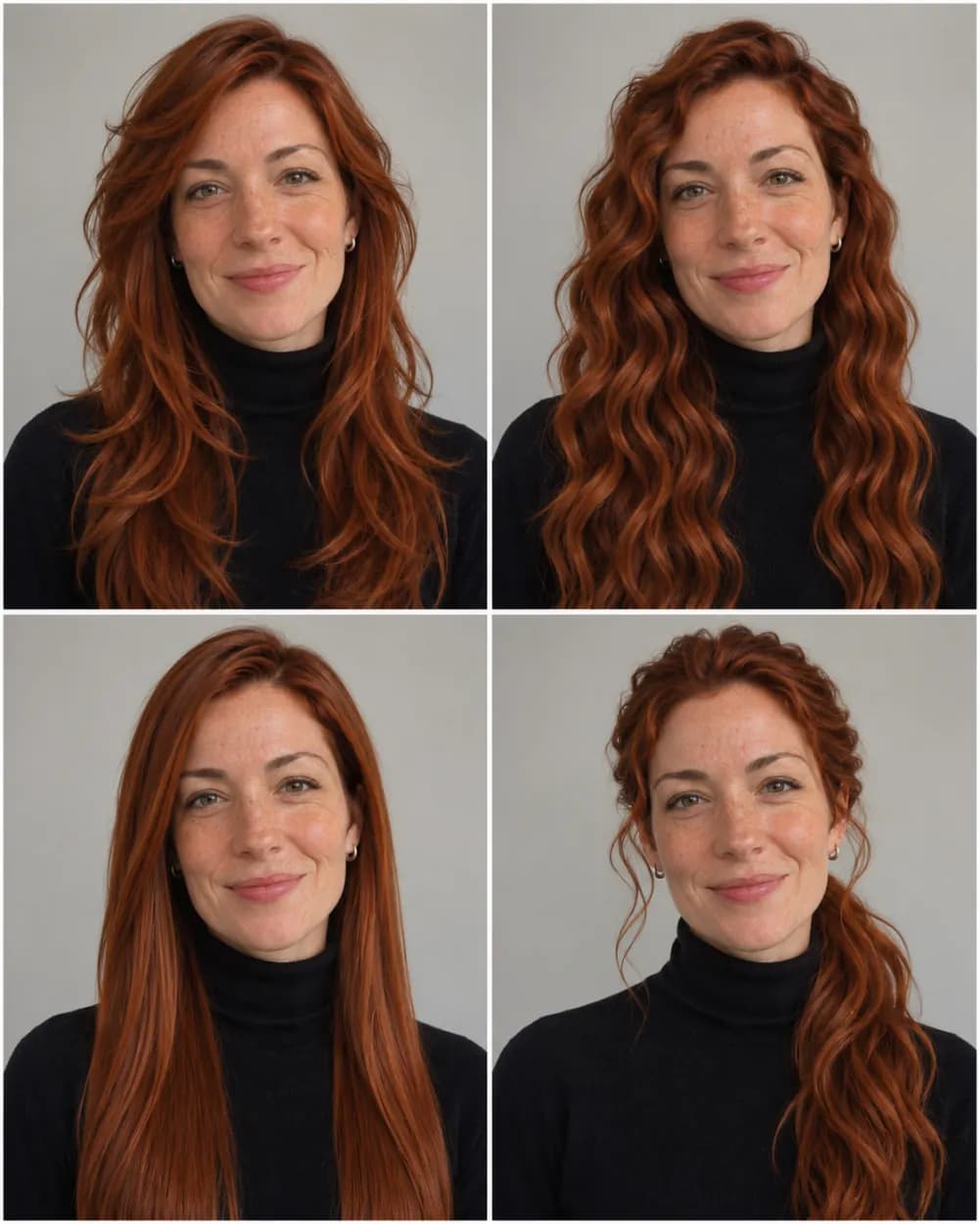
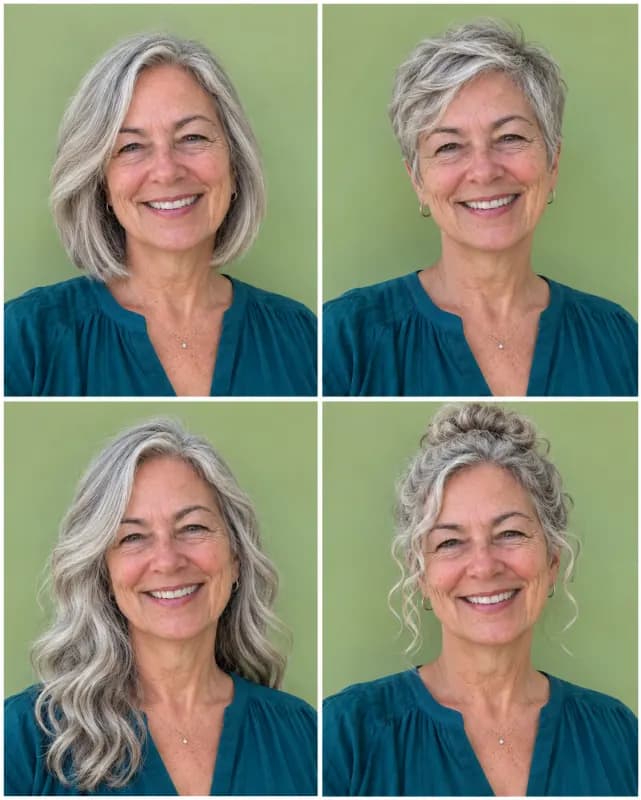
From a pixie cut to four long hairstyles
Made with Long hair. A quick way to see what growing it out could look like before committing to a year of in-between lengths.
 Before
 After
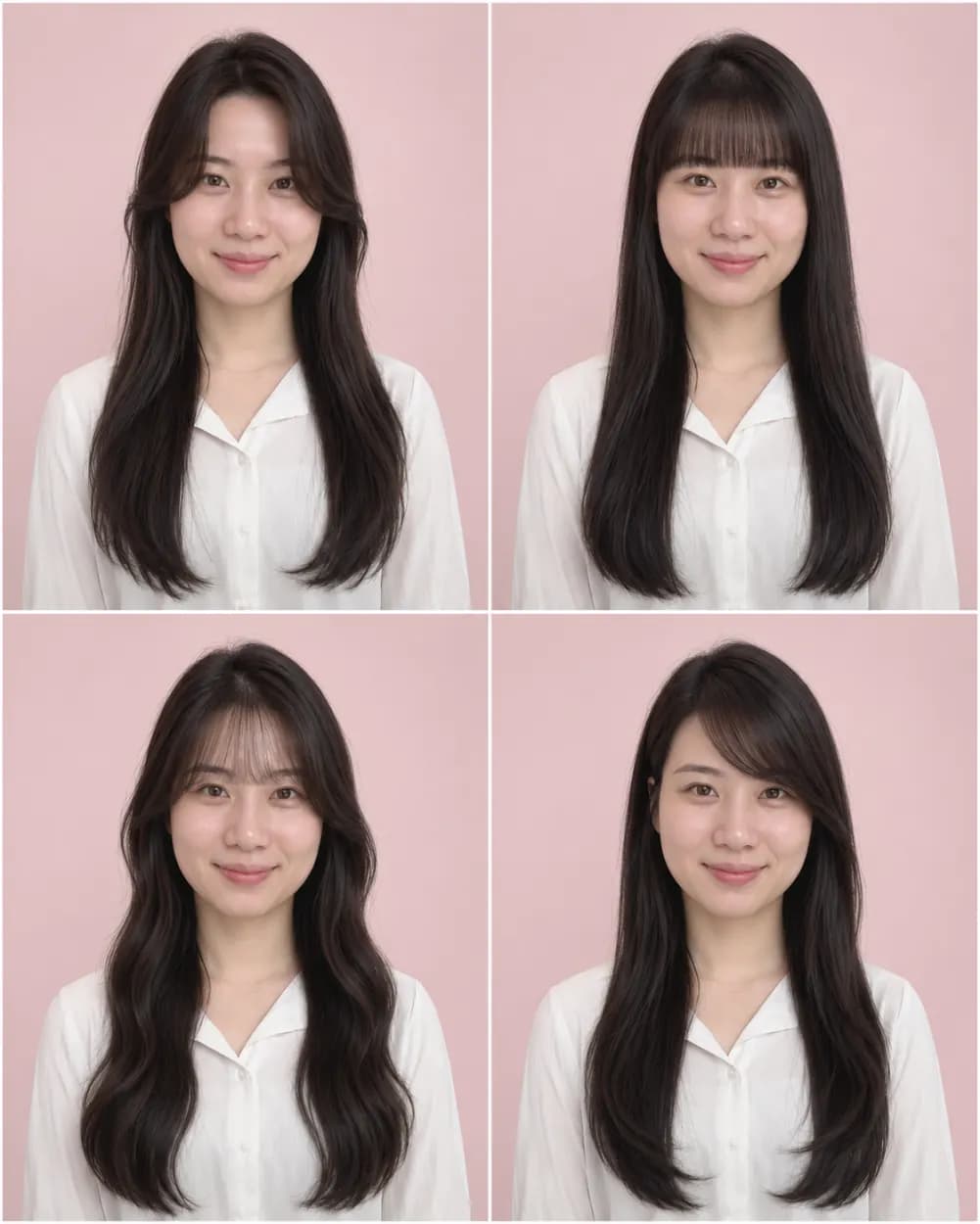
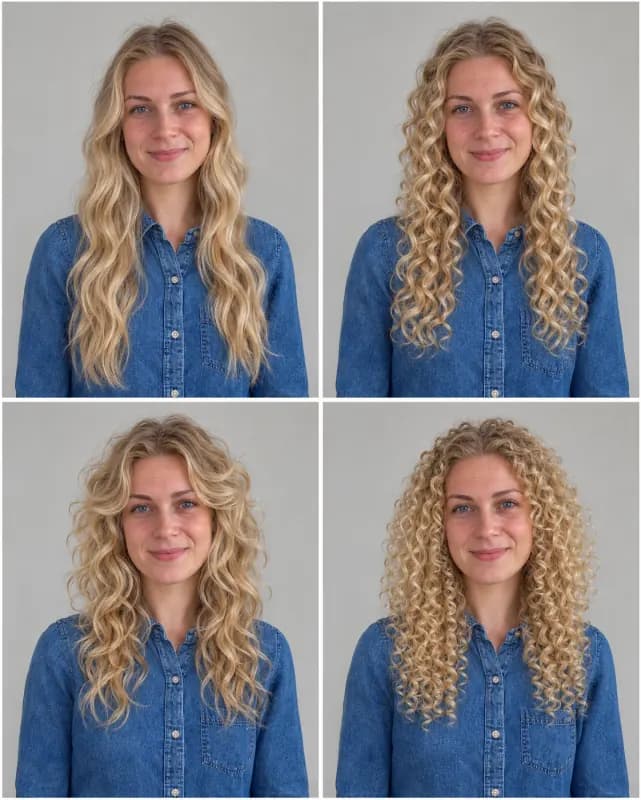
From no fringe to four kinds of bangs
Made with Bangs: curtain, blunt, wispy and side-swept, all on the same face, which is the question most people ask their stylist.
 Before
 After
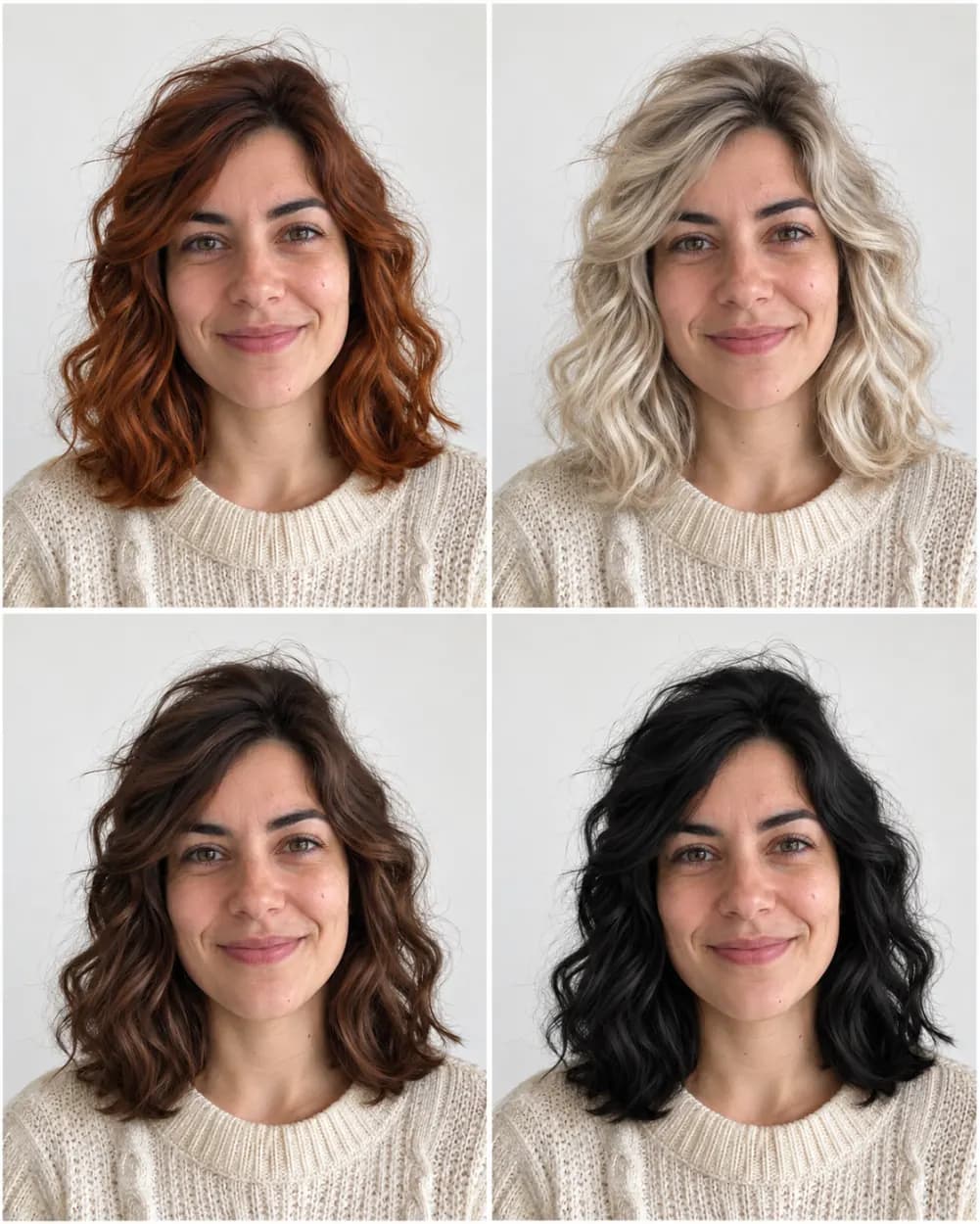
From dark brown to four new hair colors
Made with Hair color. The cut and length stay the same and only the shade changes, so you compare colors, not haircuts.
 4 hairstyles
 4 hairstyles
 4 hairstyles
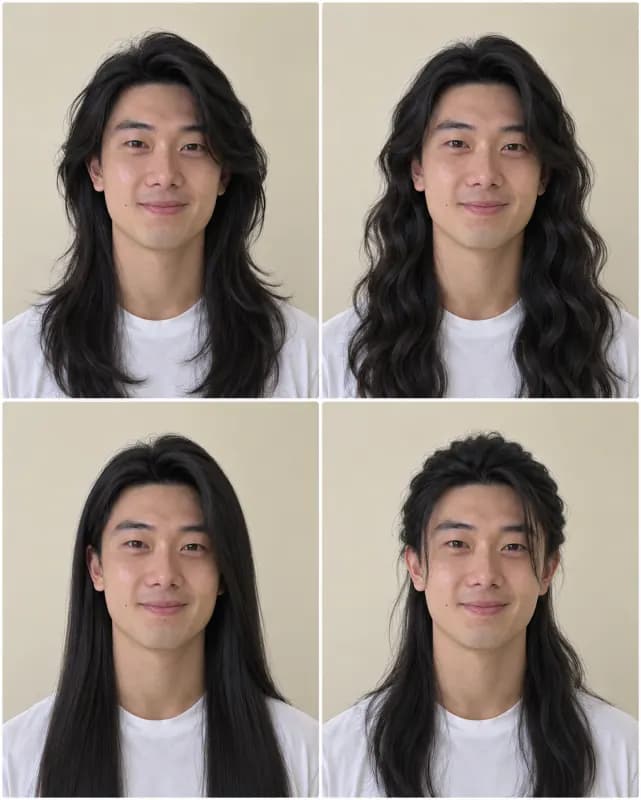 4 hairstyles
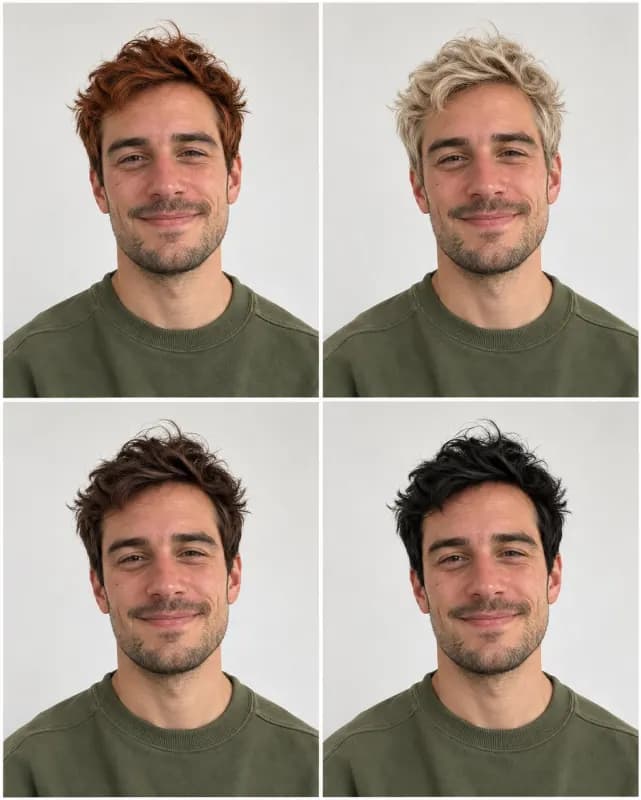 4 hairstyles
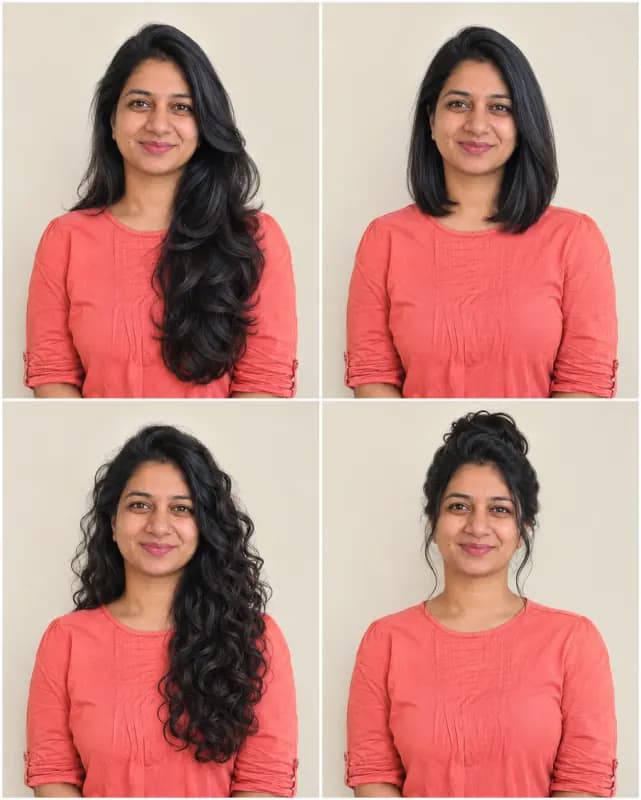 4 hairstyles
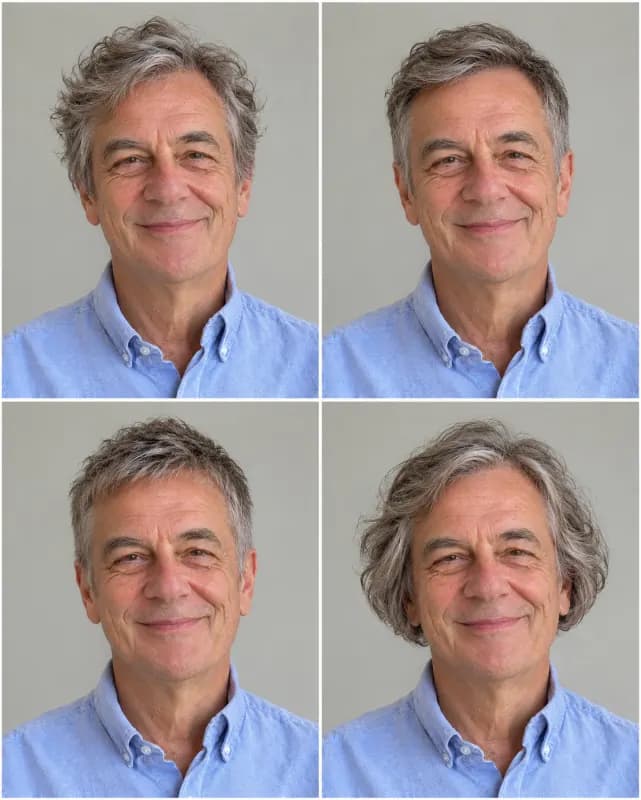 4 hairstyles
 4 hairstyles
When to Try On Hairstyles Before You Commit
A haircut takes minutes and growing it back takes months. These are the moments people most often reach for a hairstyle changer.
Before your next salon visit
Words like "textured lob" mean different things to you and your stylist. Save the panel you like and show it in the chair. It is a picture of your own face with that cut, which is clearer than a photo of a model with a different face shape.
Weddings, graduations and big events
Try a sleek updo-length cut, soft waves or bangs a few weeks ahead, when there is still time to change your mind. Upload a photo in the outfit or neckline you plan to wear for a more honest preview.
Testing a new hair color
Pick Hair color to keep your cut and see four shades on your skin tone, from copper to platinum. Dye is harder to undo than a trim, so this is where a quick preview saves the most regret.
Growing out or going short
Thinking about a pixie after years of long hair, or growing out a buzz cut? The Short cuts and Long hair options show both ends, so you can decide whether the change is worth the in-between stage.
How to Change Your Hairstyle with AI
- 1
Upload a front-facing photo
Choose a photo where your face looks at the camera, your whole head is in frame and nothing covers your hair, such as a hat or a hand. Tie-backs are fine, and you can drag the file in or paste it.
- 2
Pick what you want to try
Surprise me mixes four lengths and textures. Short cuts, Long hair, Bangs and Curls & waves keep all four panels in one direction, and Hair color keeps your cut and only changes the shade. You can also edit the instructions, for example "four bob variations".
- 3
Compare the four panels
Your result arrives as one 2x2 grid with the same face in every panel. Drag the slider to compare with your original, download the grid, or run another option on the same photo.
Why use this hairstyle changer
Your real face, not a template
Some apps paste a hair cut-out over your head or swap in a model face. Here the instructions keep your face, skin tone, expression, head angle and clothing in every panel and change only the hair, so what you compare is the haircut itself.
Four hairstyles from one photo
One generation returns four styles side by side in a single image, so you can rule looks out at a glance and send the grid to a friend for a vote instead of comparing four separate files.
Free to start, no account
Every day you get 1 free generation with no account at all. Logging in saves your grids to My Creations, and credits are there if you want to try many options on several photos.
No watermark
The downloaded grid is clean, with no logo or text across your face, so you can send it to your stylist or post it as is.
Hairstyle changer, hairstyle try on, hairstyle creator
People search for this in many ways: a hairstyle changer, a free AI hairstyle changer, a hairstyle try on app, a virtual haircut tool or a hairstyle creator. On this page they all mean the same thing: upload one photo, try on hairstyles with your own face, and keep the one you like. For other photo edits, try our general image to image AI.
Frequently asked questions
Anything else? Contact us.
Is this AI hairstyle changer free?
Yes. Everyone gets 1 free generation a day, signed in or not, reset at 00:00 UTC. Each generation gives four hairstyles in one grid, so one free try already shows four looks. Credits are available if you want more.
Can AI change my hairstyle without changing my face?
That is what the instructions ask for: the same face, skin tone, expression, head angle and clothing in all four panels, with only the hair changed. Results are AI generated, so small details can still drift; a sharp, front-facing photo in even light keeps your face most consistent.
Can I try a specific haircut, like a bob or a pixie cut?
Yes. Pick Short cuts for pixies, bobs and crops, or open Edit instructions and name the cut you want, for example "four versions of a chin-length bob". The more specific you are about length and texture, the closer the result.
Can I change my hair color as well?
Yes. The Hair color option keeps your current cut and length and shows four shades, such as copper, platinum blonde, chocolate brown and jet black. To ask for particular colors, edit the instructions, for example "pastel pink, silver, honey blonde and auburn".
Does it work for men and for curly or coily hair?
Yes. The default option picks styles that suit the hair type in your photo, so curly and coily hair is not forced straight unless you ask for it. Men can use every option, and beards stay as they are.
What kind of photo works best?
A recent, well-lit photo where you face the camera with your whole head in frame and your hair not covered by a hat or hood. JPG, PNG, WebP and HEIC up to 20 MB are accepted. Group photos, strong side angles and heavily filtered selfies give less accurate hairstyles.
Can I show the result to my hairdresser?
Yes, that is one of the best uses. Download the grid and point to the panel you like. Treat it as a reference rather than a promise: a real cut also depends on your hair density, growth pattern and how much length you have to work with.
What happens to my photo?
It is used only to make your hairstyle grid and is sent to our AI provider for that, which keeps it for up to 72 hours. Results made without an account are deleted after 2 days; results saved on the free plan are deleted after 30 days. Photos of minors and NSFW content are not allowed under our content policy.
Find your next haircut before the salon does
Upload one photo, get four hairstyles on your own face. Free to try, no watermark.